
Give the busywork somewhere to go.
Agents that retrieve the right knowledge, prepare a decision and move approved work between your business systems.
THE GUIDED PRODUCT TOUR
See the screens.
Understand the whole flow.
A spoken walkthrough of the customer experience, feature modules and the dashboard behind it. Choose a chapter to explore a specific feature.
0:00 / 1:34Workflow canvasVoice + captions
Follow the complete explanation
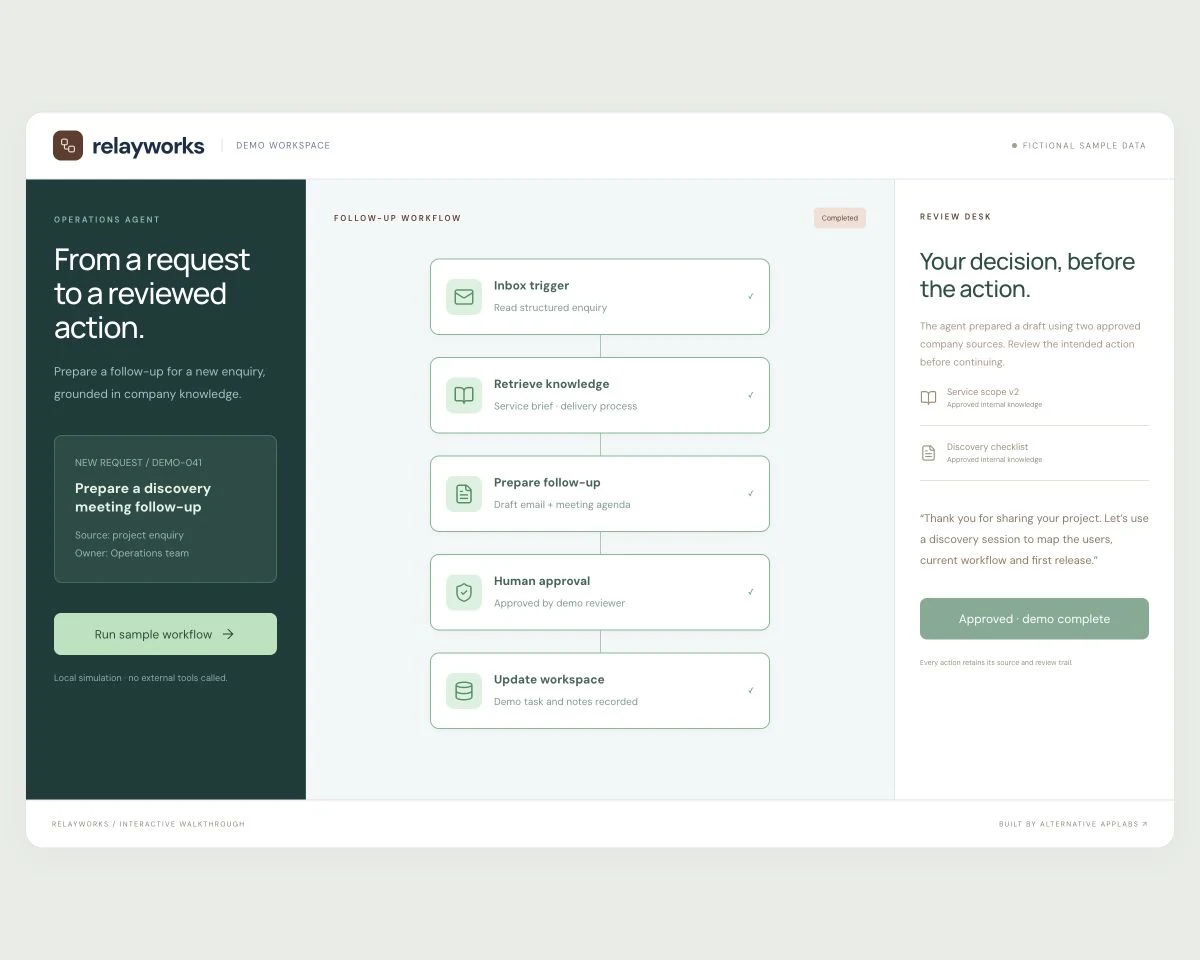
Relayworks shows an AI workflow that prepares a project follow-up from an incoming enquiry. The canvas makes the trigger, knowledge, prepared action and approval gate visible in one place.
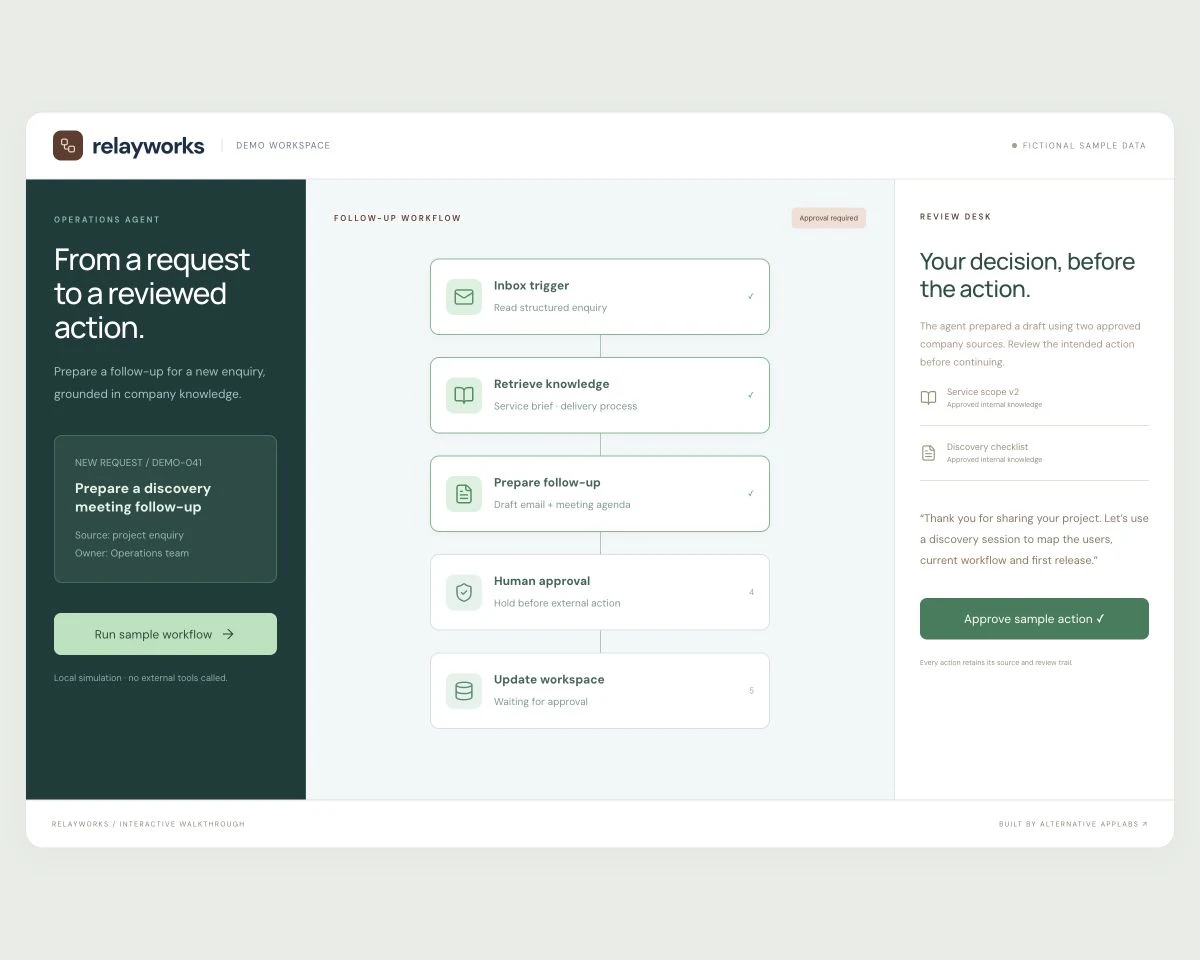
Run the sample workflow to read the enquiry and retrieve approved company knowledge. The agent prepares a follow-up and meeting agenda, then stops before an external action.
The review desk keeps the supporting service brief and discovery checklist beside the draft. A person can inspect the proposed wording and its evidence before deciding what should happen.
Approve the sample action to complete the local demonstration. The final workspace update appears only after that decision. No email is sent and no external system is changed by this demo.
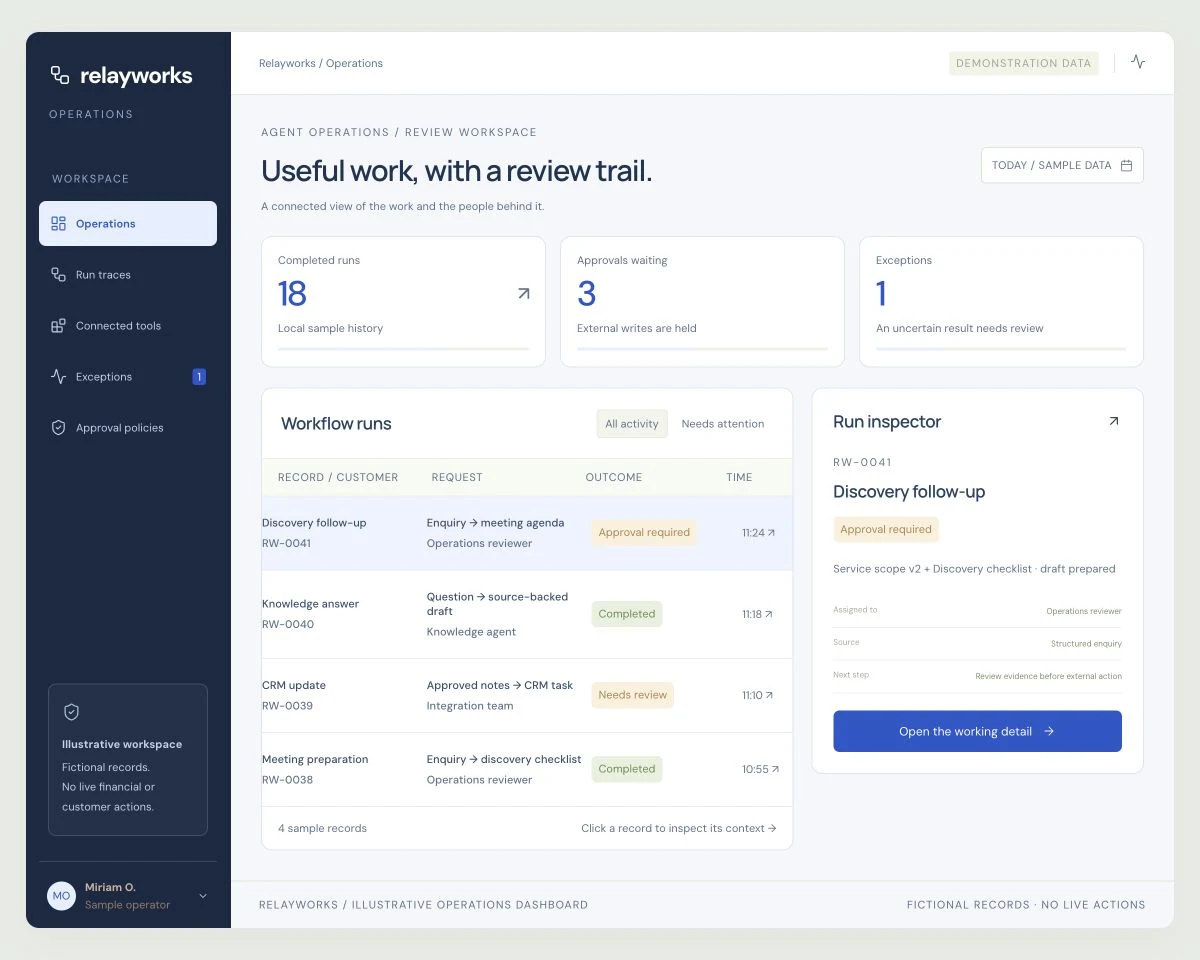
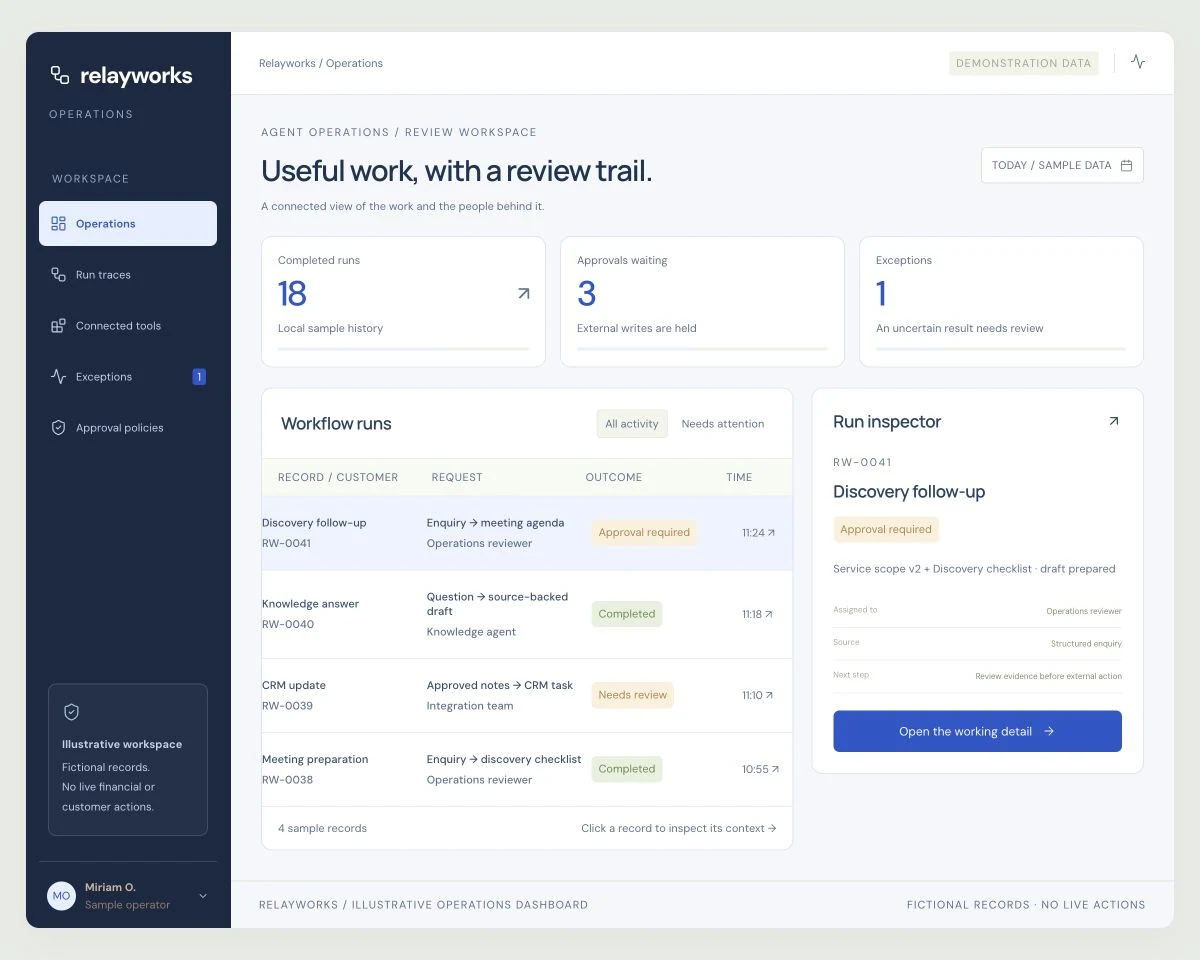
The operations dashboard shows completed runs, pending approvals and exceptions separately. Open a run to inspect its trigger, owner, current stage and next required decision.
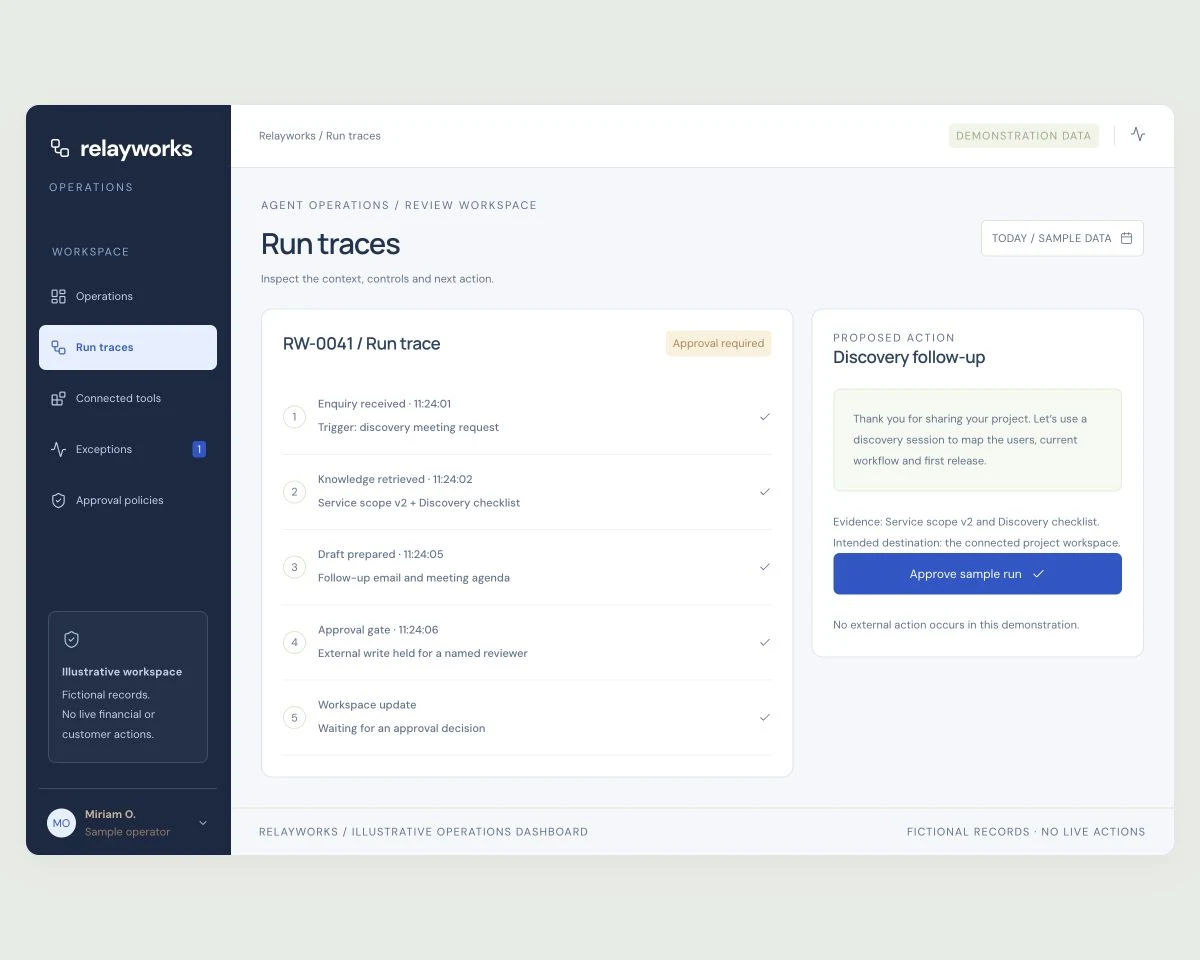
A run trace records the steps in order, from incoming request through retrieval and review. This helps the team understand which source or tool contributed to a result.
Connected tools have explicit scopes. A knowledge lookup can be read-only, while an email or CRM update can require approval. Credentials belong on the server, with access matched to the task.
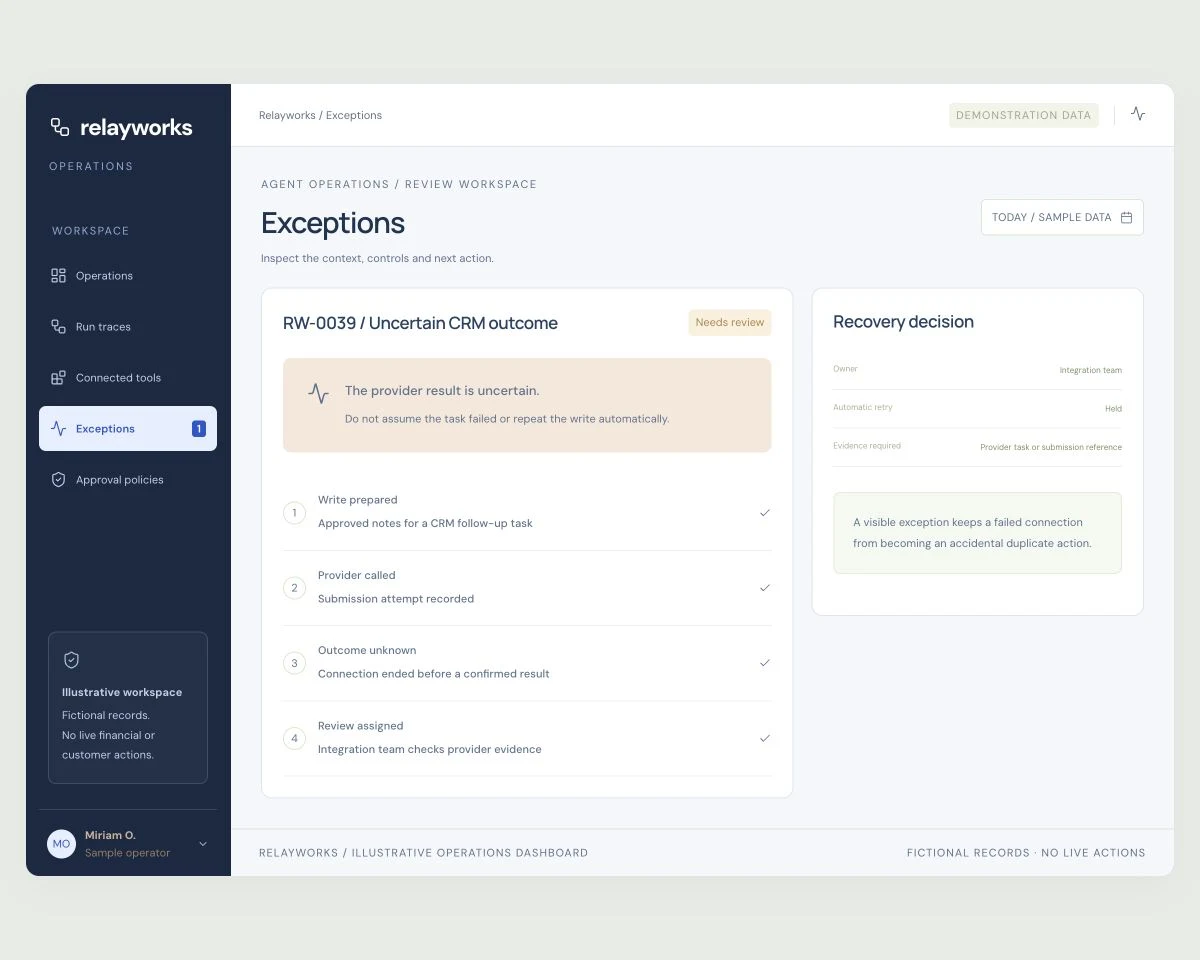
When a step fails or its outcome is uncertain, the exception view gives it an owner and a recovery path. The sample holds a write action for review instead of silently repeating it.
Approval policies define the actions a workflow may prepare and the people allowed to release them. The result is automation your team can inspect, supervise and improve from a clear operating record.
Recorded from the interactive demonstrations below, with fictional records. Dashboard views illustrate operational workflows; they are not a live customer or financial workspace.
GET A FEEL FOR IT
Don’t just read about it.
Work through it.
Click through the sample workspace to see the decisions, context and next steps.
relayworksDEMO WORKSPACE
FICTIONAL SAMPLE DATAInbox triggerRead structured enquiry
1Retrieve knowledgeService brief · delivery process
2Prepare follow-upDraft email + meeting agenda
3Human approvalHold before external action
4Update workspaceWaiting for approval
5Useful work starts with evidence.
Run the sample to see how knowledge, tools and an approval gate work together.
Service scope v2
Approved internal knowledge
Approved internal knowledge
Discovery checklist
Approved internal knowledge
Every action retains its source and review trail.Approved internal knowledge
RELAYWORKS / INTERACTIVE WALKTHROUGHBUILT BY ALTERNATIVE APPLABS ↗
Relayworks is a fictional demonstration of an agent workflow. Every run uses local sample records and makes no changes to external systems.
THE TEAM BEHIND THE EXPERIENCE
See the dashboard.
Follow the work.
Inspect records, switch workspace views and see how the team manages the next action.
AGENT OPERATIONS / REVIEW WORKSPACE
TODAY / SAMPLE DATA Useful work, with a review trail.
A connected view of the work and the people behind it.
Workflow runs
RECORD / CUSTOMERREQUESTOUTCOMETIME
4 sample recordsClick a record to inspect its context →
Run inspector
Discovery follow-up
Approval requiredService scope v2 + Discovery checklist · draft prepared
- Assigned to
- Operations reviewer
- Source
- Structured enquiry
- Next step
- Review evidence before external action
Request → evidence → approval → recorded outcomeOne visible operating trail.
Illustrative operations dashboard with fictional records. Interactions change the local demo only. Product-specific configuration and live availability are agreed separately.
THE WORK BEHIND THE SCREEN
Built around the whole workflow.
Every module has a job. Together, they make the experience useful for the person using it and the team running it.
Knowledge retrieval
Search approved documents and preserve source references alongside the prepared answer.
Connected tools
Connect CRM, email, calendars and operational APIs through scoped permissions.
Human approvals
Hold consequential actions for a named reviewer before a workflow continues.
Task orchestration
Coordinate steps, pass structured data between agents and make failures visible.
Run history
Inspect inputs, tool activity, approval decisions and the final workflow outcome.
Operational controls
Define access, limits, retries and handoff rules before allowing actions on live systems.
HOW THE PIECES CONNECT
01Receive a request
02Retrieve evidence
03Prepare the action
04Human approval
05Update connected systems
Let’s make it happen
Your next big idea.
Our next great build.
Tell us what you have in mind. We’ll help you find the right way forward.
Let’s talk about your project